The short version
Our perspective
A useful productivity shortlist option for right-handed desk users who will take advantage of its controls and are comfortable with its size.
What works
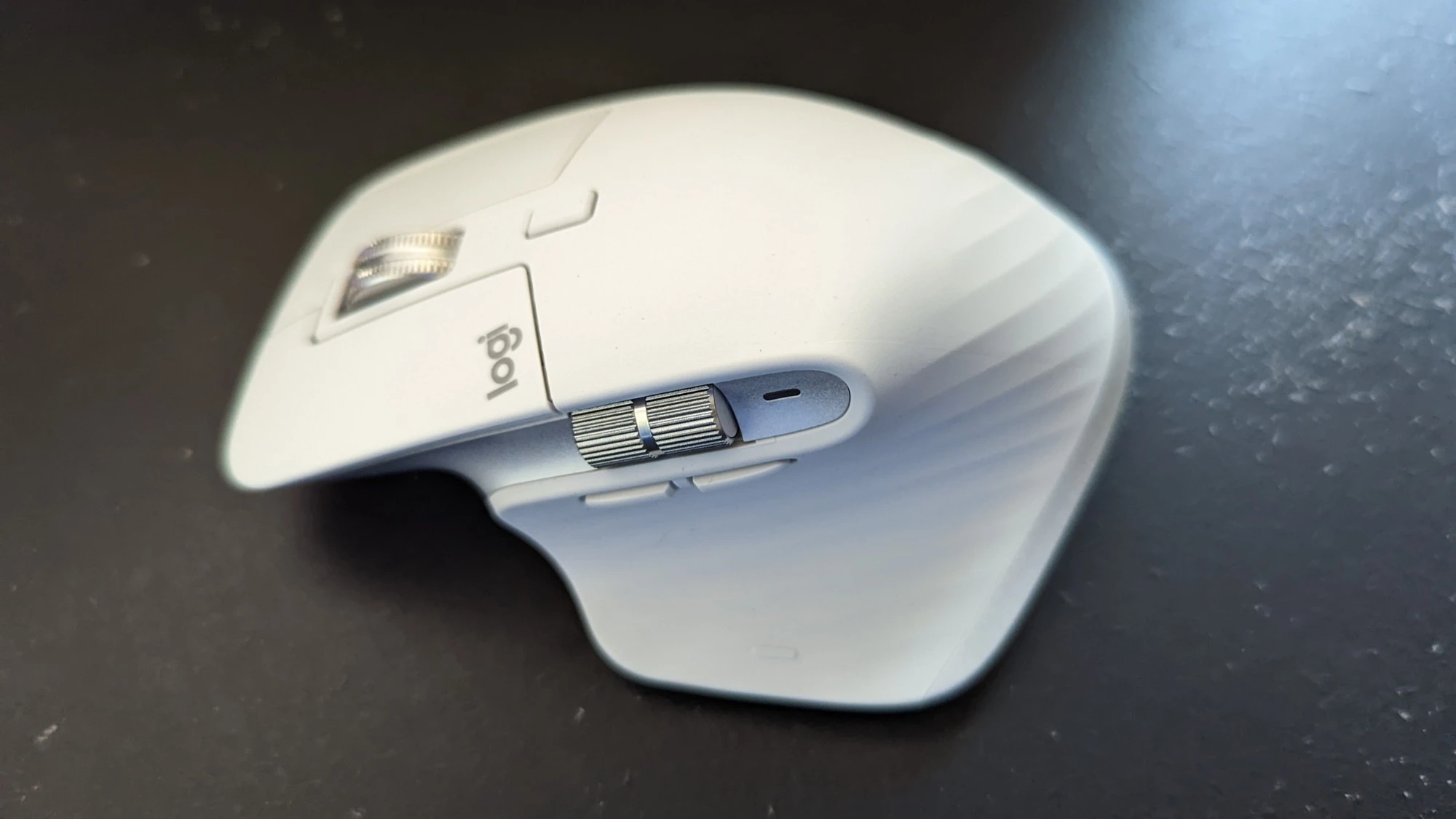
- Main scroll wheel plus a separate thumb wheel
- Configurable controls through supported software
- Bluetooth and Logi Bolt connection options
What to consider
- The sculpted shape is designed for right-handed use
- Larger and heavier than many travel or gaming mice
- Advanced customization depends on software and platform support
- Sensor
- Up to 8,000 DPI
- Weight
- 141g
- Connections
- Bluetooth Low Energy, Logi Bolt
- Charging
- USB-C rechargeable battery
Specifications refer to the model described. Performance figures are manufacturer claims.
A work tool rather than a spec contest
The MX Master 3S is interesting because of the jobs it tries to make easier. Long documents, wide spreadsheets, timelines, and several connected computers create different needs from a competitive game. Its shape and multiple controls make more sense in that working context than in a comparison based only on sensor sensitivity.
Think about the actions you repeat most. If you constantly move horizontally across a spreadsheet, a thumb wheel may be useful. If you mainly open a browser and occasionally click a link, the extra controls may add less value. The best productivity accessory solves a frequent irritation rather than creating a new setup project.
Fit comes before features
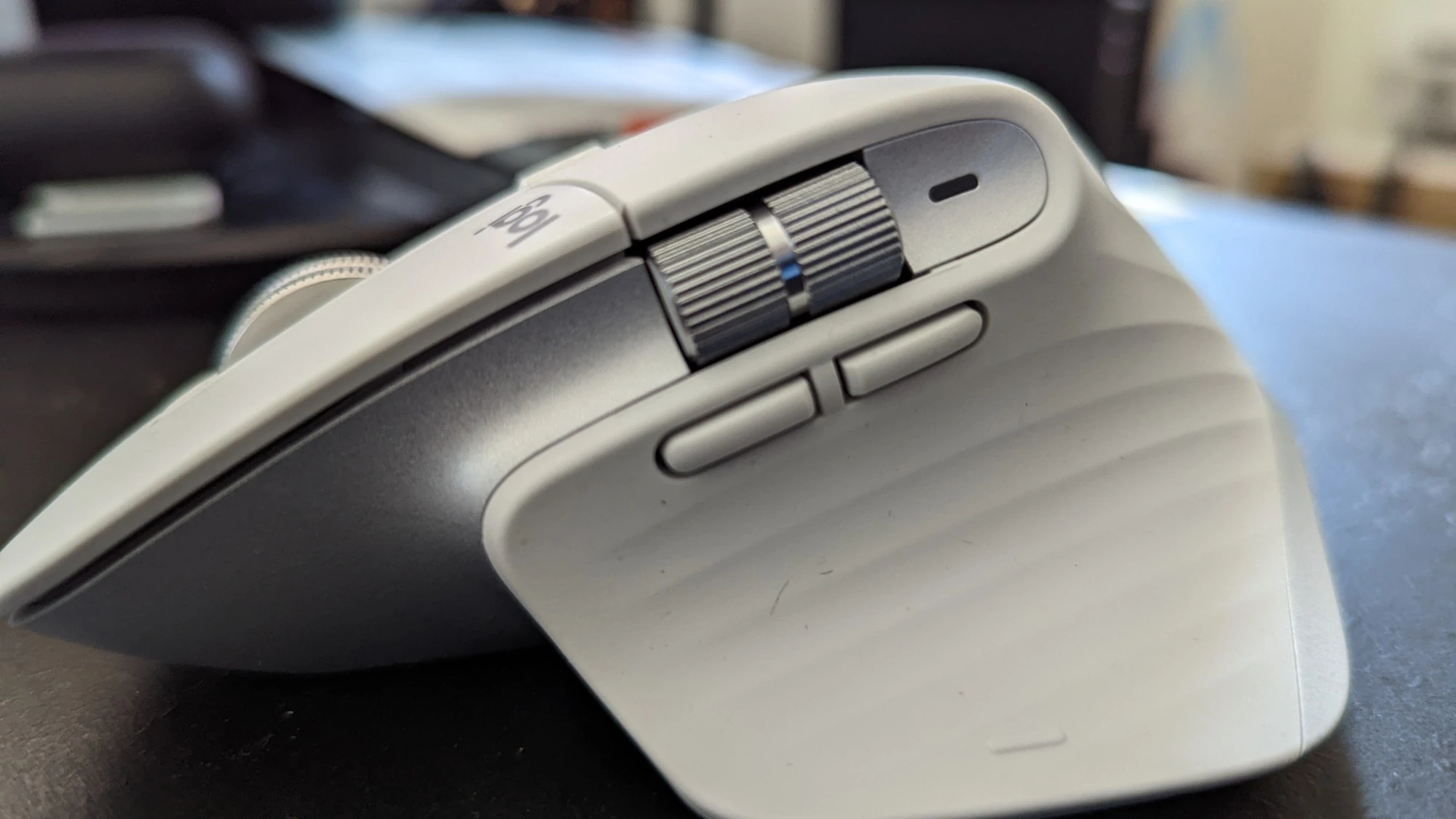
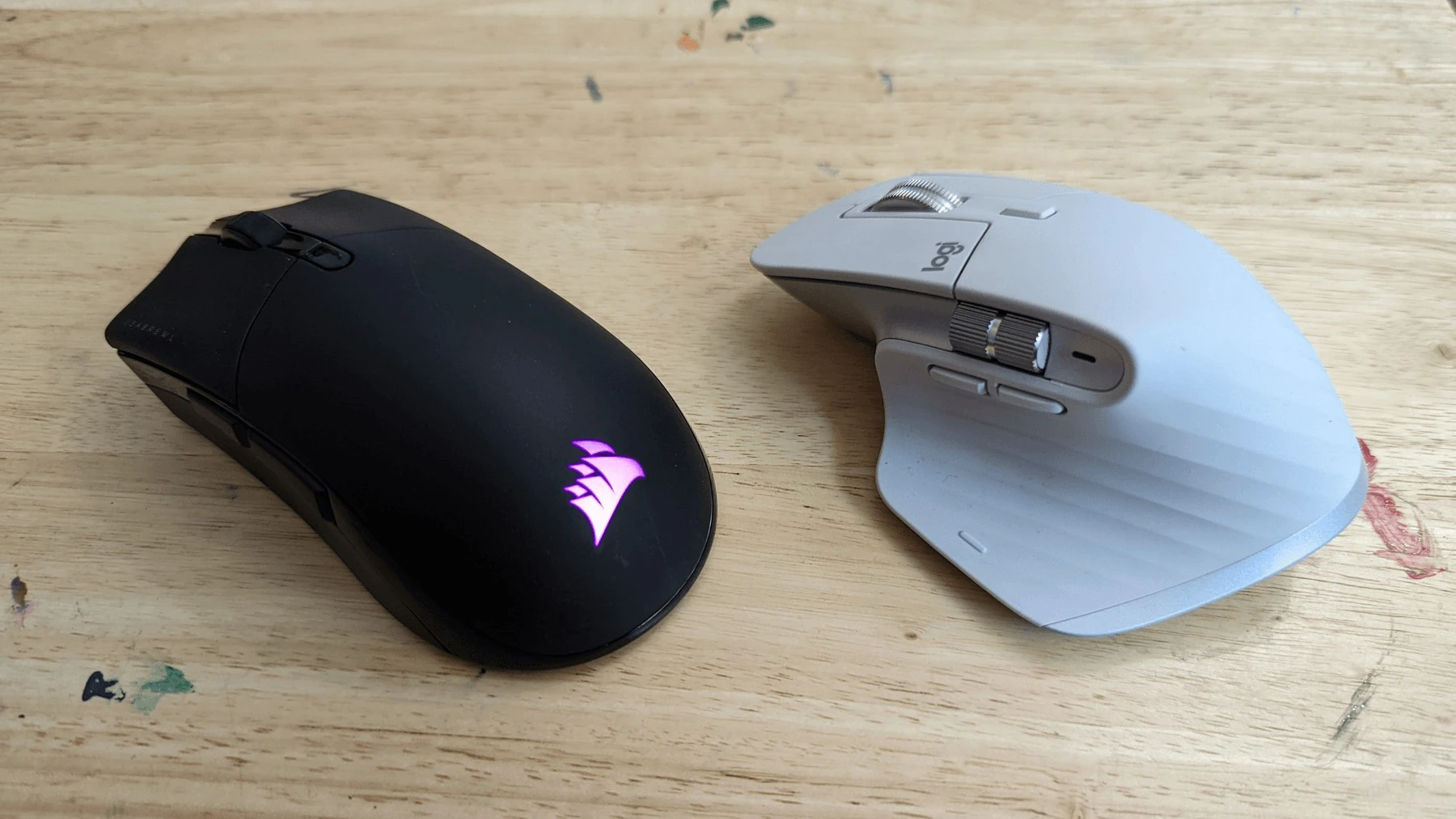
Logitech lists a 141g body with a sculpted right-handed shape. The shape is a substantial part of the product, and it is also the reason to try it before committing. Hand size, grip, desk height, and the space available beside your keyboard change how a mouse feels.
A large thumb rest is not a universal ergonomic solution. If you experience persistent discomfort, look at your whole workstation and seek suitable professional advice rather than assuming one mouse will resolve it. A left-handed user or someone who values a small travel kit should begin with a different shape.
Controls reward a little setup
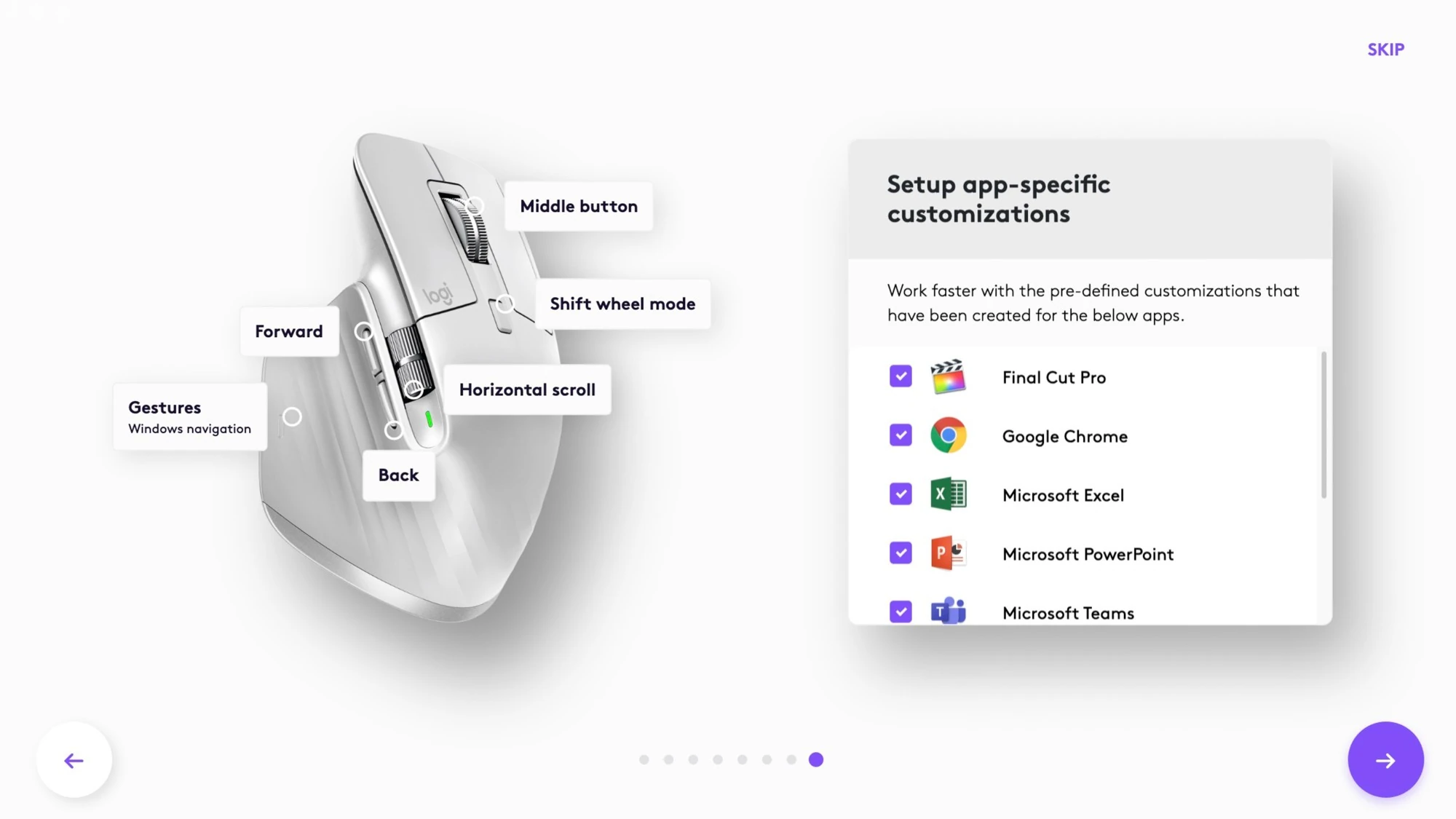
The main wheel and thumb wheel create useful possibilities for navigation. Supported Logi Options+ customization can help connect those controls to your actual applications. Start with one or two changes that remove repeated effort, then give yourself time to learn them. Assigning every available shortcut on the first day can make a familiar task feel less predictable.
Basic pointing and advanced customization are not the same promise. Check the current operating-system requirements and any workplace restrictions on software installation. If an employer manages your computer, the feature you want may depend on a tool you are not allowed to install.
Connections, quiet clicks, and the numbers
The documented connection choices are Bluetooth Low Energy and Logi Bolt. Confirm what is included in your exact retail edition and which connection suits the ports on your computer. USB-C is used for charging; do not assume the charging cable turns the mouse into a conventional wired-data mouse.
Logitech specifies a sensor sensitivity up to 8,000 DPI and promotes quieter clicks than the previous MX Master 3. Those are manufacturer statements, not Blueeagle measurements. Most desk users should choose a pointer speed that feels predictable rather than treating the maximum as a target. Quiet clicking may be welcome in shared rooms, but personal feel remains worth checking.
Who should buy it?
Consider the MX Master 3S if you work right-handed at a desk, use applications that benefit from extra navigation controls, and prefer a substantial mouse. It is less compelling for a small travel pouch, left-handed use, or gaming where low weight and competitive responsiveness lead the decision.
We have not handled a review sample for this article. This is an assessment of the documented design and the choices it presents. If possible, test the grip and reach to the thumb controls rather than choosing solely from photos.
The Blueeagle conclusion
The MX Master 3S can be a considered desk upgrade when its size and controls match the way you work. Buy the shape first and the specifications second. A short, purposeful setup is more likely to pay off than chasing the highest DPI or filling every button with a shortcut.
Sources & editorial notes
This original Blueeagle assessment uses the documented features linked below. We have not physically tested this product for this article. Product specifications, compatibility, and prices can change.
Published November 1, 2026. Suggest a correction.
Photography credits
- 1. Logitech MX Master 3S in pale gray. — Reviewed / Matthew Prunty. Copyright retained; user-supplied site owner reuse permission
- 2. The thumb wheel, side buttons and sculpted thumb rest. — Reviewed / Matthew Prunty. Copyright retained; user-supplied site owner reuse permission
- 3. Logi Options+ software provides button customization. — Reviewed / Matthew Prunty. Copyright retained; user-supplied site owner reuse permission
- 4. MX Master 3S beside a traditional Corsair gaming mouse for comparison. — Reviewed / Matthew Prunty. Copyright retained; user-supplied site owner reuse permission